
Choose views that answer buying questions
A handbag can look attractive in a single photograph while leaving important questions unanswered. How deep is it? Does the top close? Is the shoulder strap removable? Your shot list should help customers understand the bag as well as its appearance.
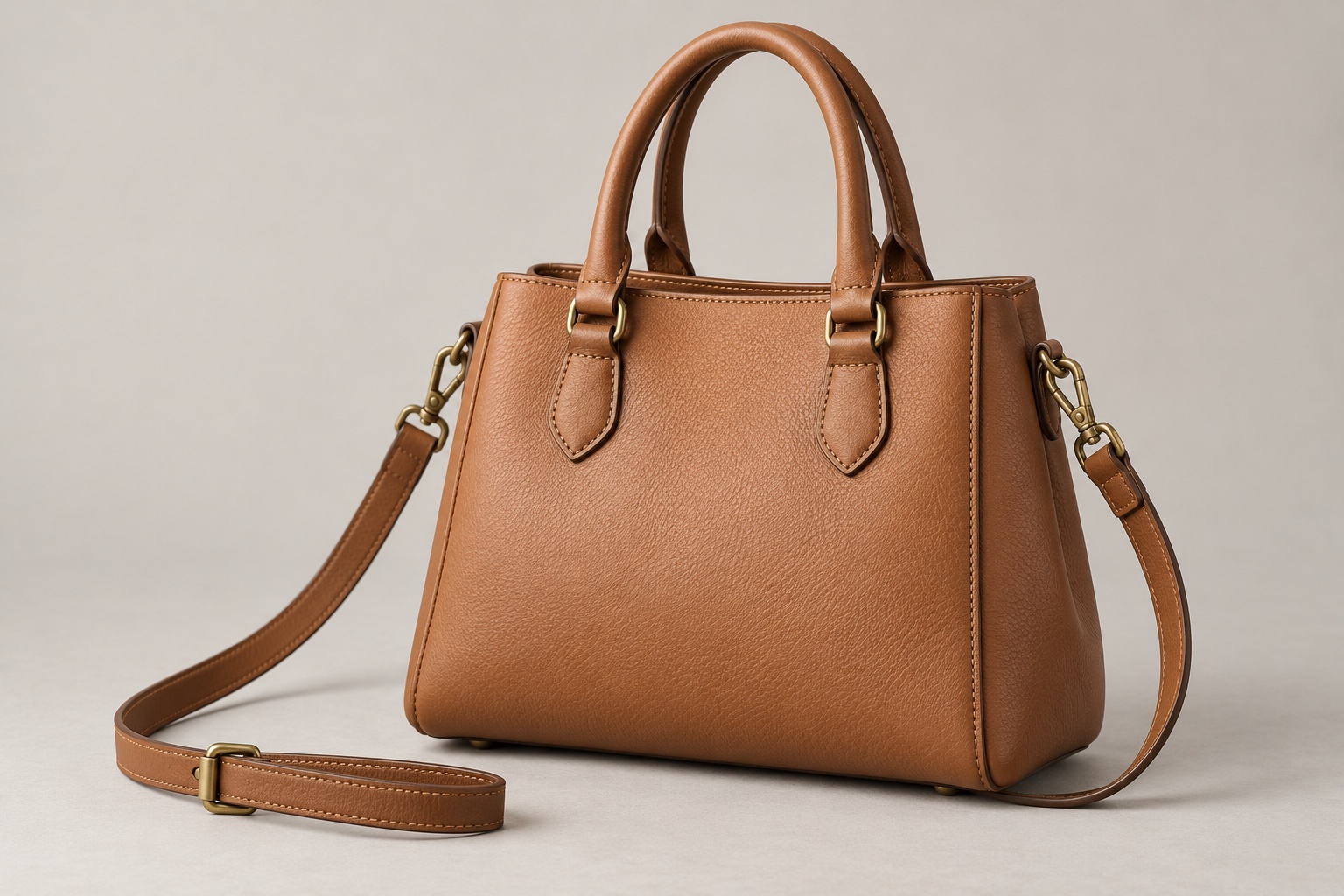
Start with a clear main view that shows the overall shape and handles. Then add photographs only where they explain something the main image cannot. A side view can show depth; a rear view can reveal an outside pocket; an open view can explain the lining and compartments.
There is no fixed number of photographs every bag needs. A simple pouch and a convertible work bag have different features. Our guide to choosing how many product photographs you need helps you build a purposeful image set.
Turn the bag’s features into a specific shot list
| View | What it can explain |
|---|---|
| Front or three-quarter view | Overall shape, handles and the main design features. |
| Side or rear view | Depth, side fastenings and external pockets. |
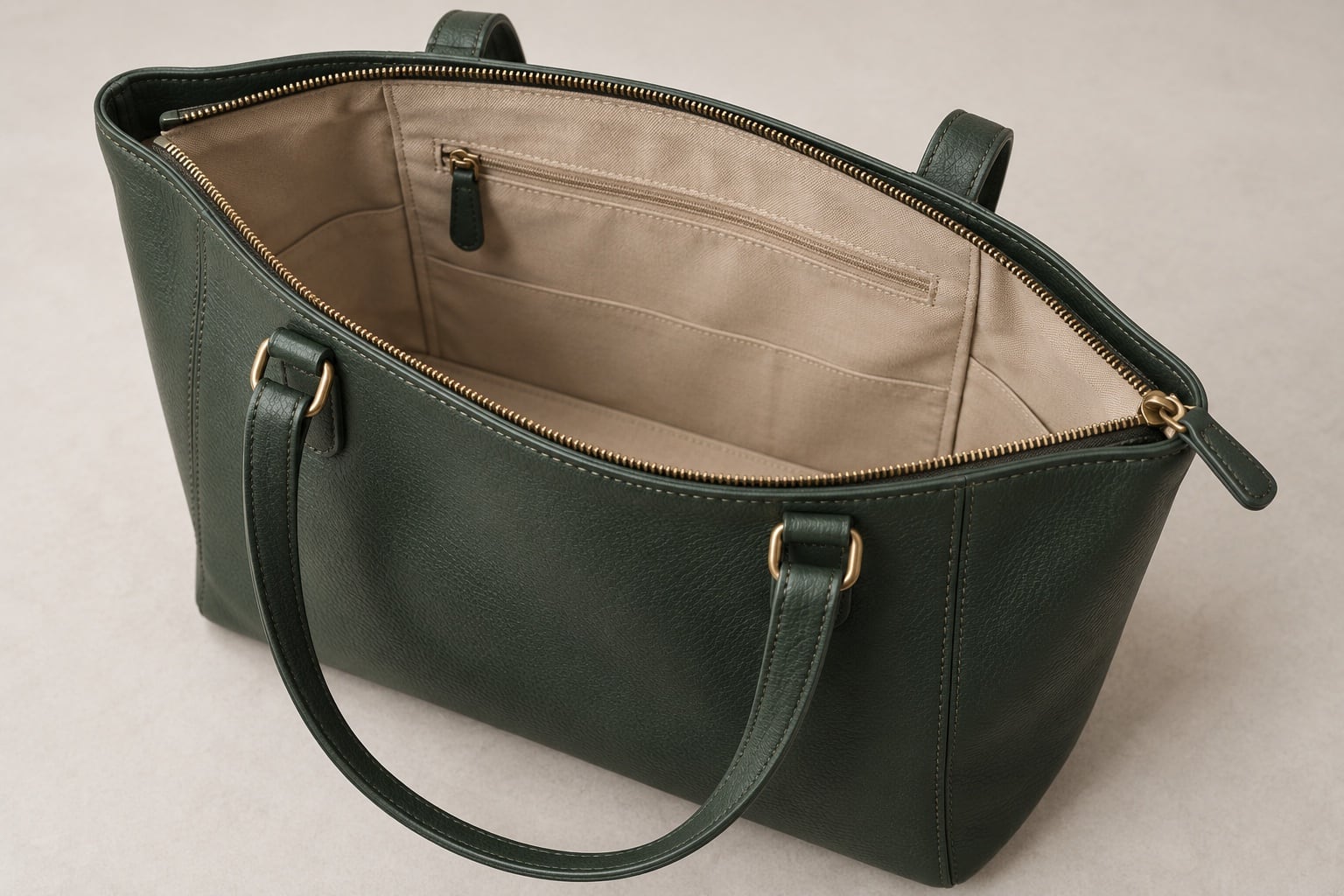
| Open interior | Lining, compartments, closures and pocket positions. |
| Strap and attachments | How the strap connects and which parts are detachable. |
| Material or hardware detail | Grain, weave, stitching, zip pulls and metal finish. |
Use this as a menu of useful views, not a compulsory package. Identify the exact feature you want each photograph to show. “Photograph the internal zipped pocket” gives the studio a clearer instruction than “take some detail shots”.
If you sell several sizes or colours, list each separately. Agree which views need to be repeated and which construction details are genuinely shared. Do not assume one colour’s photograph can represent every variant accurately.
Show the interior without misrepresenting capacity
Explain how the bag opens and which internal features matter. A dark lining or a narrow opening may make several compartments difficult to show together. Discuss whether one elevated view is sufficient or a separate pocket detail would be more useful.
If you want to show what fits inside, specify the actual objects and check that they fit the sample naturally. Avoid a composition that implies the bag closes comfortably around items when it does not. State whether demonstration objects are included in the purchase or are props.
Include dimensions in your product information rather than relying on a photograph alone. If a laptop fit matters, identify the device dimensions and check it physically; a broad size description is not a substitute for checking the fit. Any photograph of a person carrying the bag should be discussed separately, including availability and the scope of that work.
Agree how to present shape, straps and soft materials
A structured handbag and a soft tote should not be posed as though they behave identically. Tell the photographer whether the bag should appear empty, lightly supported or filled to a realistic shape. Support should help customers read the design without making a soft bag look rigid or exaggerating its capacity.
Decide whether a detachable strap appears fitted, arranged alongside or in a separate view. Keep the arrangement consistent across a range, while making sure it does not obscure the bag’s outline, closure or hardware. State which accessories are supplied with the product.
Send a reference if the new images need to match an existing collection. Include the camera angle, crop and strap arrangement you want to retain. Our guide to consistent product photography explains how earlier photographs can help align a later shoot.
Keep material and hardware details faithful
Highlight the features customers are paying for: a distinctive weave, textured leather, contrasting stitching or a particular clasp. Choose a close-up that reveals the feature in context, rather than filling the frame with an unrecognisable surface.
Agree the expected finish before retouching. Dust and temporary marks may need attention, but the texture, seams, colour and construction should remain recognisable. Do not ask editing to make a material look like a different grade or to remove a permanent feature from the item being sold.
Metal hardware needs enough reflection to describe its shape and finish. An instruction to remove every reflection can leave it looking flat. Point out whether a fitting is polished, brushed or deliberately aged, and read our guide to photographing reflective products for related briefing considerations.
Prepare the samples and send a clear enquiry
Supply clean, representative samples with the correct straps, dust bags and other included accessories. Check for scuffs, damaged corners, loose threads and distorted packaging before dispatch. Tell the studio about protective film, delicate finishes and any handling restrictions; agree preparation rather than assuming every material can be treated in the same way.
“We have three handbag styles in two colours each. Please quote a consistent front three-quarter view of all six bags, plus an interior view and a clasp detail for each style. The interiors and fittings are identical across the colours. We will supply detachable straps and would like advice on arranging them consistently. Please flag any additional views needed to explain the different shapes.”
Add dimensions, product codes, reference images, intended uses and your deadline. Specify whether you need white-background product images, styled compositions or both, and list any required crops. This lets the quotation reflect the actual work rather than just the number of bags.
Explore our product photography service and photography samples, then send David your handbag photography requirements. You can arrange a studio drop-off or send the products by courier; our delivery guide explains the options.