
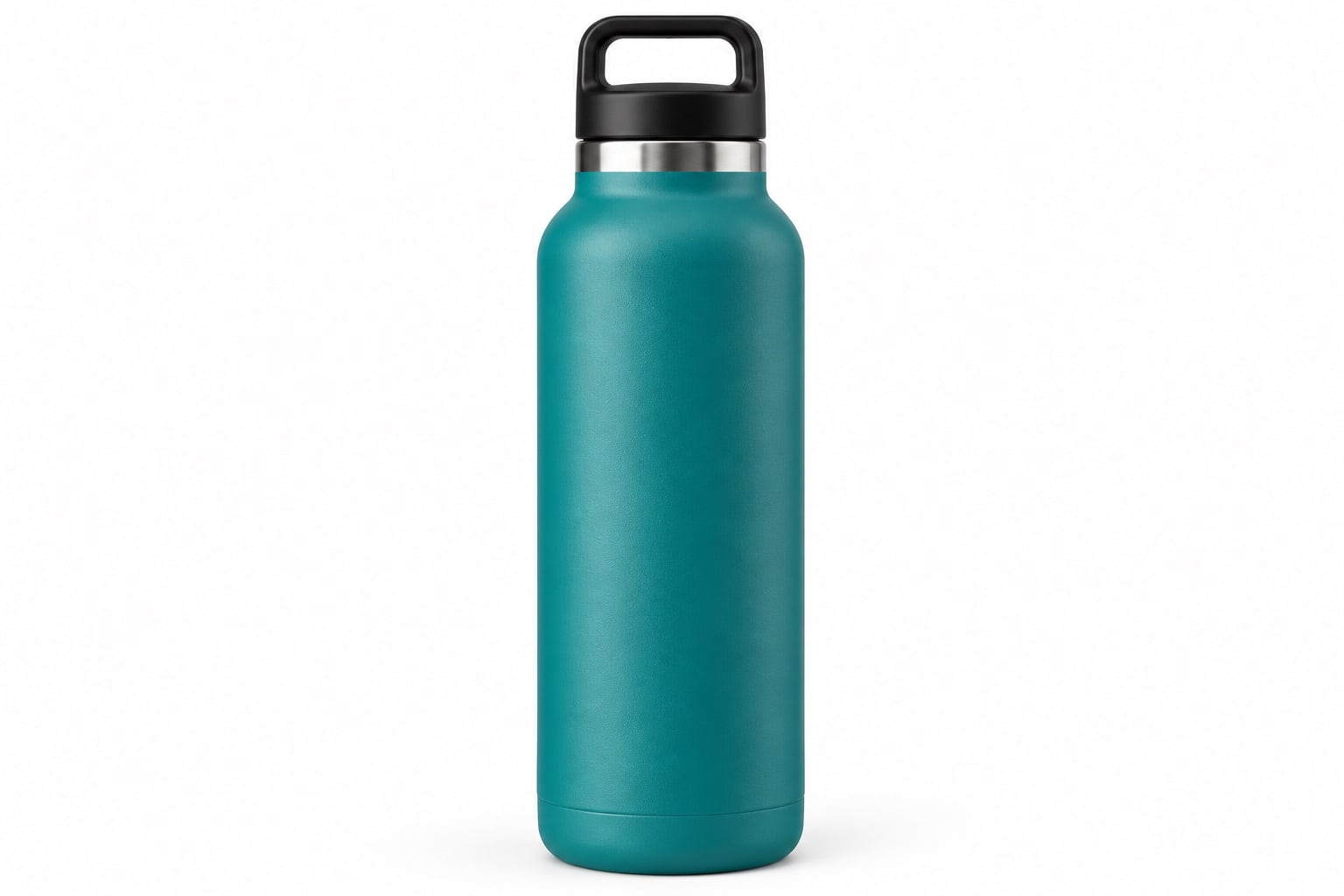
See how a complete image set works together
The example below follows one drinks bottle through six useful views. Start with the hero image, then choose supporting photographs that answer different buying questions. This is a suggested brief, not a fixed number or set of images required by Amazon. Adapt it to your product and category.
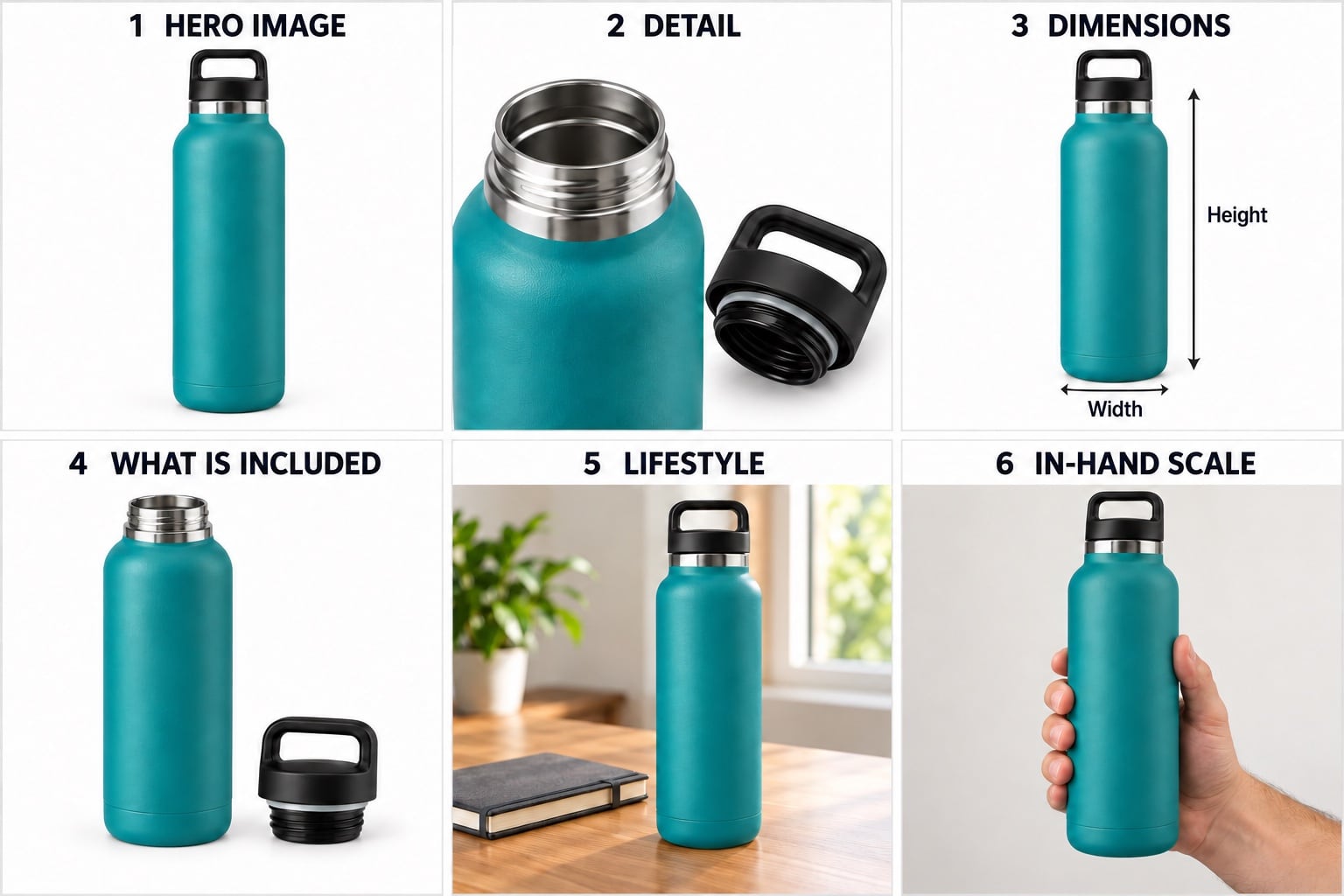
What each view adds to the listing
- Hero image: the clean, complete product view that introduces the offer. This is the main image; keep added headings and graphics out of the actual listing asset.
- Detail: a closer look at the opening, closure and finish, helping buyers understand how the product is constructed.
- Dimensions: a supporting graphic using your verified measurements. The arrows here show where measurements could go; they are not measured specifications.
- What is included: the bottle and its single removable cap, shown separately. For a kit, show the actual components and quantities supplied.
- Lifestyle: the bottle in a relevant everyday setting. The desk accessories are context, not included products.
- In-hand scale: a view that helps communicate handling and relative size. Pair it with accurate dimensions; a hand alone is not a measurement.
The numbered headings belong to this educational illustration, not to the finished hero photograph. These are AI-created examples; commission photographs of your actual product and check the applicable listing rules.
Give the hero image one clear job
An Amazon listing needs a clear introduction to the product, followed by photographs that answer the questions a customer might otherwise ask in a shop. Start by separating those two jobs in your brief. The hero (main) image identifies the offer; supporting images explain it.
Amazon’s general main-image guidance calls for an accurate, professional representation of the product, shown fully in frame and at a useful size. A pure white background is the usual requirement, without added promotional text, badges or decorative graphics. Do not confuse an added logo overlay with branding that is physically printed on the product: photograph the real labels and details faithfully.
Check the current requirements for your marketplace and product category before approving the shot list. Amazon’s official product photography guidance is a useful starting point; sellers should also consult their Seller Central product image requirements. The illustrations in this guide explain planning ideas; they are not finished listing photographs or examples of guaranteed Amazon approval.
Use supporting images to answer different questions
Five almost identical angles do not necessarily tell a customer more than three carefully chosen views. Give each supporting photograph a purpose. What does the back look like? How does the opening work? Which part is removable? What does the surface feel like? Decide which of these questions applies to your product.
A drinks bottle might benefit from a lid and opening detail, a view explaining its shape and a photograph showing how it is used. A storage box may need an interior view and a clear explanation of its compartments. Choose the images around the actual product rather than copying another seller’s sequence.
Order the proposed images so the most useful information appears early. Think about what a customer must understand before choosing a size, colour or model. Our guide to how many product photographs you need can help you turn those questions into a manageable shot list.
Show exactly what the customer receives
Make a written inventory of the items included in the offer. Identify the quantity, accessories and any optional extras that are sold separately. This matters particularly for kits and products that look incomplete without another item beside them.
A supporting layout can show the included components separately so customers can count and recognise them. For example, an open lunch box could show its lid and removable divider. Keep the arrangement easy to follow and match it to the product description. Styling props should not leave someone thinking they are buying more than the offer includes.
Discuss packaging separately. A box can help explain a gift presentation or protected storage, but it should earn its place in the image set. If packaging is changing, supply the version customers will actually receive and flag the change before the shoot.
Supply accurate dimensions and feature information
If a dimension graphic would help, provide the measurements and units rather than asking the photographer to estimate them from appearance. Distinguish the outside dimensions from usable space, and explain which measurement matters to the buyer. A container’s total height and its internal capacity answer different questions.
For supporting graphics, keep any wording concise and check its legibility at a small display size. Agree the photographic views and graphic design work as separate parts of the brief so the quote reflects what you need. Keep annotated feature images separate from the clean main image.
Use claims you can substantiate. Photography of a seal, coating or fastener does not prove that an item is leakproof, scratchproof or suitable for a particular use. Supply approved wording and check it against the applicable listing rules before it is added to an image.
Choose lifestyle images with a specific purpose
A lifestyle image is useful when it makes the product easier to understand. A desk accessory on a desk can explain its position and use; a bag being carried can help communicate how its straps work. An attractive scene with no clear connection to the buying decision may add less information than a close-up.
Agree the setting, props and any people required before booking. Identify what must remain visible and avoid obscuring important features with styling. If scale matters, support the photograph with real measurements rather than relying entirely on the viewer’s interpretation.
Your mix of packshots and lifestyle photography should follow the product and the information gap. You do not need to force every item into the same formula.
Keep variants and files organised
Label every sample with its product code and identify the colour, size or bundle it represents. Provide the relevant ASINs if they already exist. Mark which views are needed for each variant, especially where construction or included accessories differ.
Agree file dimensions, background requirements and a naming system before delivery. Keep clean photographic files as well as approved versions containing graphics when both are part of the commission. That makes it easier to identify which file belongs in each position and which version was approved.
Review the finished set for product accuracy, legibility, consistent framing and unintended props. Check it again in the listing after upload. A well-prepared image set does not guarantee approval, ranking or sales; it gives you a clearer and more accurate presentation to work with.
Send the studio a brief built around your listing
A useful starting brief might be:
We are launching a lunch box in three colours on Amazon UK. Each colour needs a clean main image and an open view showing the included divider and lid. We also need a close-up of the closure, one supporting dimensions graphic using our supplied measurements, and a lifestyle view for discussion. We will provide product codes, category guidance and approved feature wording.
Include your preferred deadline, current listing if available and reference images that explain the style you want. Flag any missing samples or packaging changes. Arrange an appointment for a studio drop-off; if sending by courier, advance notice helps David know when to expect the parcel.
See our Amazon product photography service for examples of work, then send David your products and proposed image list to discuss the shoot.
Amazon guidance reviewed on 28 October 2026. Requirements can differ by category and marketplace; check the current guidance in your Seller Central account before commissioning or uploading images.