
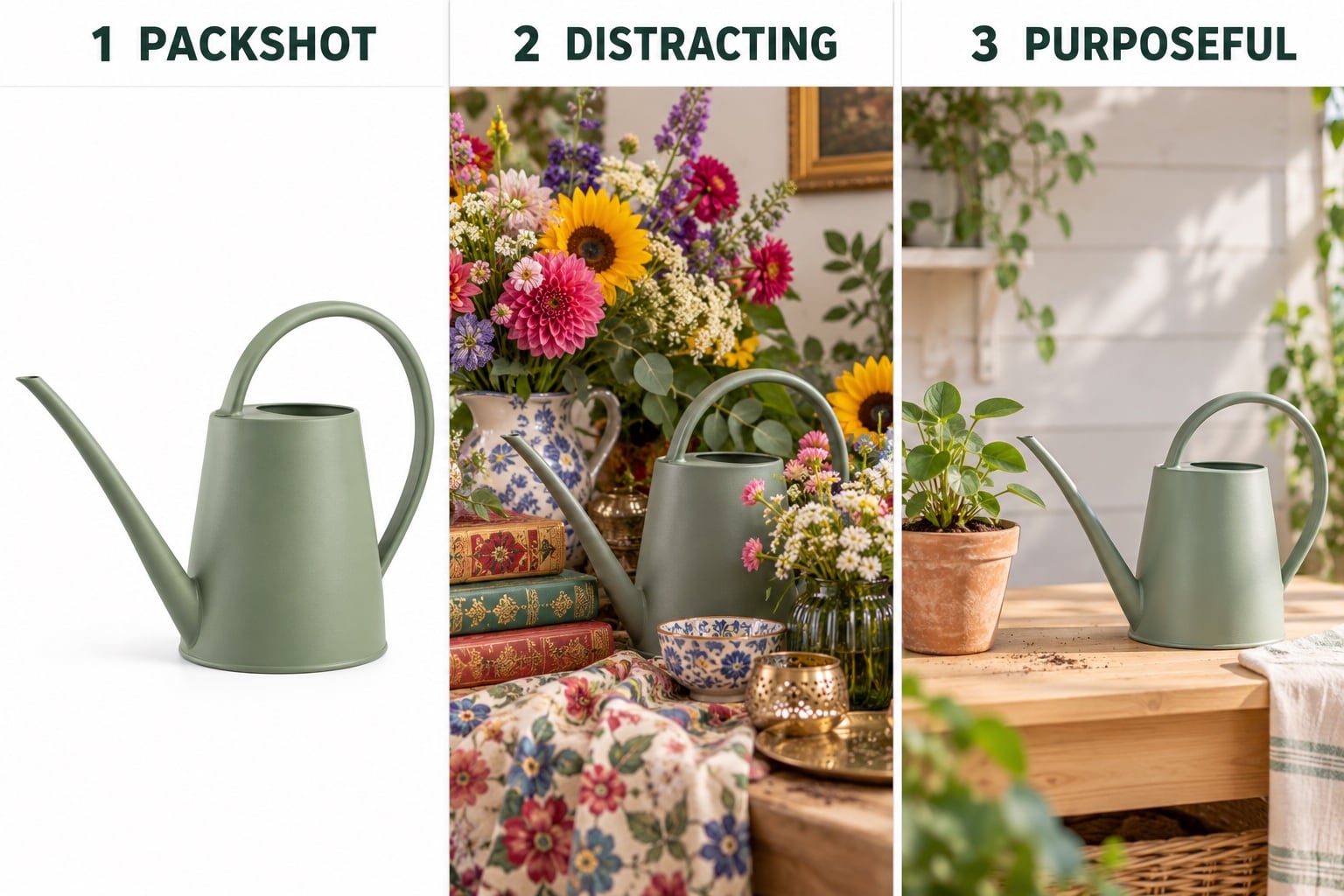
Give the scene a practical purpose
A lifestyle photograph shows a product in a setting or being used. For an Amazon listing, the most useful starting question is not “What would look attractive?” but “What will this scene help the customer understand?” The answer might be where the product belongs, how it is held, or how a particular feature works.
The comparison above follows a watering can through three treatments. The packshot makes its shape easy to inspect. The crowded scene competes with it and hides part of the outline. The simpler potting-bench scene gives it a recognisable setting while keeping the product visible. Each prop should earn its place by adding context rather than filling an empty corner.
You do not need a lifestyle scene for every angle. If the question concerns a small fastening or a finish, a close-up may explain it more directly. Start with the buying question, then choose the photograph.
Keep lifestyle views separate from your hero image
Your hero (main) image and lifestyle photographs have different roles. Plan the clean product view separately, then use relevant supporting views to explain context and use. Amazon’s product photography guidance describes lifestyle, scale and detail images as distinct types of product photography.
Check the current Seller Central image requirements for your marketplace and category before approving the shot list. Do not assume a styled photograph is suitable as the main image simply because it looks appealing. Our Amazon listing image-set guide shows how these different views can work together.
The headings and panels in this article are teaching illustrations, not finished listing assets. Commission photographs that accurately represent the product your customer will receive.
Use hands to explain handling and action
A hand can demonstrate where a handle is gripped, how a lid opens or how an object is carried. That is often more useful than including a whole person whose presence adds little to the explanation. Decide which action matters before planning the crop.
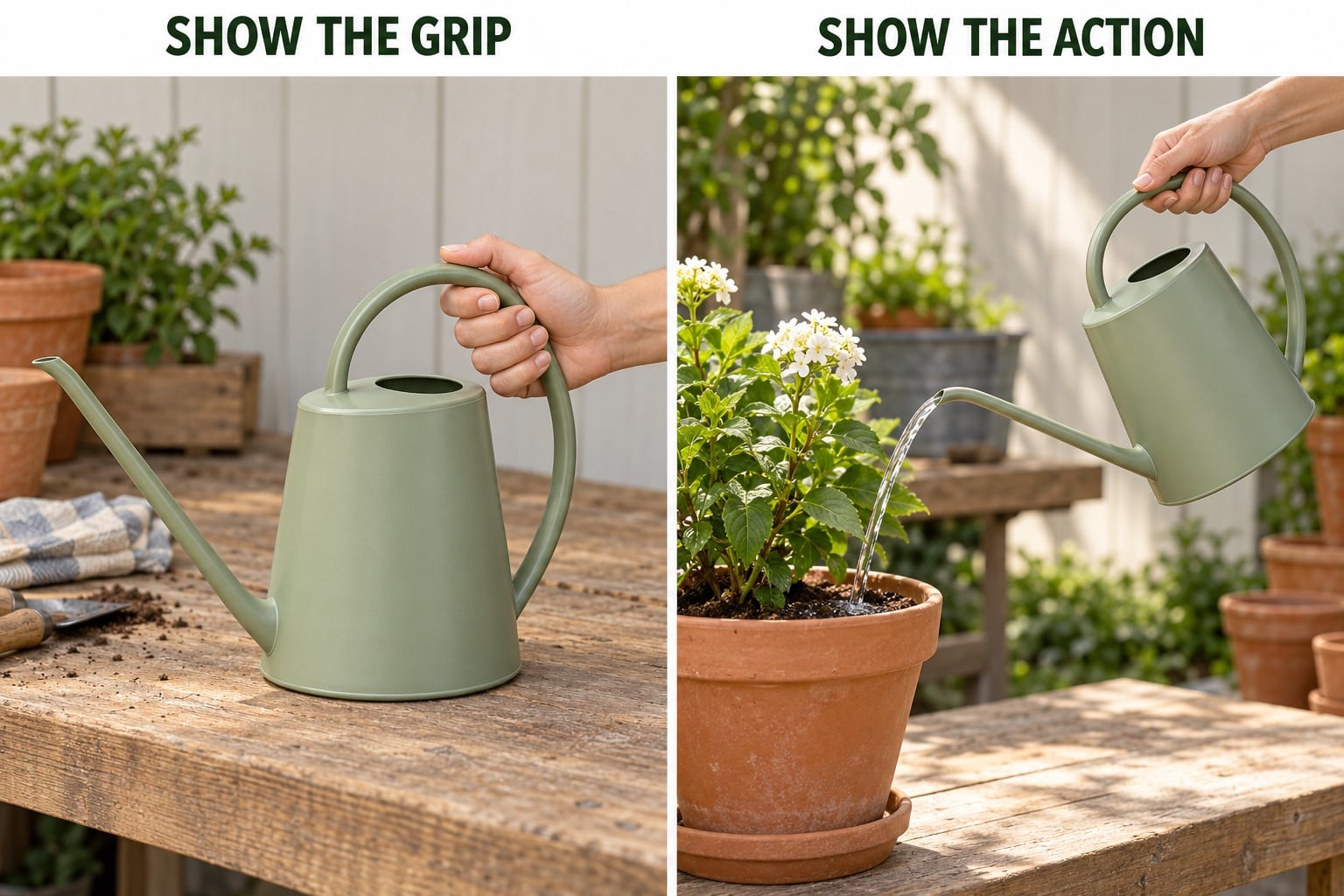
In the two examples below, the grip view shows the relationship between hand and handle. The pouring view shows the spout reaching the plant. They answer different questions, so they should be briefed as different photographs. Keep important controls, openings and product details visible rather than covering them with fingers.
Hands can provide a sense of scale, but people vary in size and perspective affects the impression. Supply verified dimensions as well. If precise fit matters, use a separate measurement graphic; our Amazon infographic guide explains how to plan one.
Make clear what is included
Styling props help establish a setting, but they can also create confusion about the offer. A watering can beside a plant does not automatically explain that the plant and pot are sold separately. A storage basket filled with accessories can look like a bundle if the rest of the listing is unclear.
Give the studio a written inventory of the items being sold. Identify which objects are props, which are supplied accessories and which belong to another variant. Keep the clean product and contents photographs consistent with the product description.
Choose props that suit the intended use and do not hide the product or imply unsupported compatibility. Avoid borrowing another brand’s distinctive packaging simply to decorate the scene. For the fictional examples here, the plants, tools, cloths and pots are context, not items included with the watering can.
Choose between a styled surface and a larger shoot
A simple tabletop setting may be enough for a small homeware item. A larger scene might need furniture, a specific location, people or several camera positions. These are different production requirements, even if you ultimately need only one finished photograph.
Discuss the setting before booking. Explain whether the aim is to suggest an everyday environment or demonstrate a particular task. A recognisable surface and a few appropriate props may communicate more clearly than a complete room with competing details.
If people are needed, agree who will arrange them, which actions must be shown and where the finished photographs will be used. Confirm the intended use across your listing, website and advertising when discussing the quote. Do not assume that props, styling, people, locations or extra crops are automatically included.
Keep the real product recognisable
Use a current, clean sample with the correct label, colour, finish and accessories. Styling and lighting should make those details understandable. A dramatic shadow that hides a control, or a strong colour cast that changes the finish, can work against that purpose.
Show a normal, supported use of the product. A photograph should not imply a capability the product does not have. If the scene demonstrates a functional action, supply the instructions and explain any limitations before the shoot.
For products sold in several sizes or colours, identify which sample appears in each scene and which listing it belongs to. Do not reuse a lifestyle view across variants without checking whether its appearance, proportions and included parts still match. The illustrations in this guide are AI-created examples; actual sales images must remain faithful to the actual product.
Brief the scene, the action and the finished files
A useful lifestyle brief specifies what the customer should learn, what must remain visible and which objects are included in the offer. For example:
We need two supporting lifestyle photographs for a sage-green watering can: one clear potting-bench scene and one view showing an adult hand using the handle to pour into a plant pot. The watering can is the only item sold. Please keep the handle, opening and spout visible, and quote any props and hand modelling separately. We also need square listing crops and a wider website crop for discussion.
Send product codes, dimensions, the target marketplace, any existing listing, reference scenes and the intended deadline. Explain what you like in each reference rather than asking the studio to copy it. Agree the number of scenes, finished photographs, variants and crops so the quote reflects the work required.
Before approving the final set, review the images at a small display size. Is the product still easy to recognise? Is the action clear? Do the props create any ambiguity? Check the images again after upload alongside the title, description and other photographs.
Explore our Amazon product photography service and lifestyle photography service for examples, then send David your products and proposed scenes to discuss the shoot.
Amazon guidance reviewed on 29 October 2026. Check current category and marketplace requirements in your Seller Central account before commissioning or uploading images.